Time Tracking Best Practices & Examples for HR Teams in 2026
Key Takeaways
- Accurate time tracking starts with policy clarity, not software. Define what counts as work time, who approves exceptions, and how disputes get resolved before you pick a tool.
- Businesses that connect timekeeping directly to payroll are up to 44% less likely to have payroll errors than those running the two systems separately, according to TimeChamp's 2026 time tracking research.
- The most common failure point isn't employees gaming the system. It's HR teams rolling out a tool without training, approval workflows, or a plan for handling exceptions like leave, overtime, and remote work.
- Tools like brioHR help HR teams apply these best practices automatically through GPS-verified clock-ins, automated overtime calculation, and payroll-linked attendance records, but the practices themselves matter more than any single platform.
Introduction
A missed clock-out. An approval that sat in someone's inbox for a week. A timesheet filled in from memory on a Friday afternoon. None of these feel like a big deal on their own, but they compound into payroll errors, compliance gaps, and employees who've quietly stopped trusting the process.
Time tracking best practices are the habits and policies that keep hours worked, pay, and compliance records accurate and defensible. Get them right and payroll runs cleaner, overtime disputes drop, and HR stops spending hours each month chasing down missing timesheets.
This guide walks through seven best practices for time tracking, the benefits of getting it right, the challenges that trip most teams up, and what effective time tracking looks like when a real company does it well.
Top 7 Time Tracking Best Practices
Most time tracking failures trace back to a handful of repeatable mistakes: vague policies, manual entry, and no link between attendance and payroll. The seven practices below address each of those gaps directly.
| Best Practice | Why It Matters | How to Implement |
|---|---|---|
| Set a clear time tracking policy | Removes ambiguity that causes disputes | Document what counts as work time, approval steps, and exceptions |
| Automate data capture | Cuts manual entry errors | Use GPS clock-ins, mobile apps, or biometric devices instead of paper |
| Link time tracking to payroll | Eliminates double data entry | Choose a system where attendance flows directly into payroll runs |
| Track time off alongside work hours | Prevents leave and attendance from living in separate systems | Sync leave balances and approvals with the same platform |
| Build in manager approval workflows | Catches errors before payroll runs | Require sign-off on timesheets and overtime before processing |
| Use project-level time tracking for billable work | Improves cost visibility and client billing accuracy | Tag hours to specific projects or clients, not just total hours |
| Review time data regularly, not just at payroll close | Surfaces patterns early | Set a monthly cadence to review attendance trends and exceptions |
Set a Clear Time Tracking Policy
Most disputes over hours worked happen because nobody wrote down the rules in the first place. A time tracking policy should state what counts as work time, how breaks are handled, what happens when someone forgets to clock in, and who has authority to approve exceptions.
This matters more for distributed and flexible work arrangements, where "working hours" can mean different things to different people, and for teams that rely on contract or EOR-based hires where the usual company policy may not automatically apply. Keep the policy short enough that employees actually read it, and revisit it whenever your work arrangements change.
Automate Data Capture Instead of Relying on Memory
Paper timesheets and end-of-week memory entries are consistently the least accurate way to track hours. Workers asked to reconstruct their day after the fact tend to round, guess, or skip gaps entirely, which shows up later as missing hours or overtime disputes.
Replacing manual entry with automated capture (GPS-verified mobile clock-ins, biometric devices, or app-based timers) removes the guesswork and creates a timestamped record that holds up if a dispute ever needs resolving. brioHR's time & attendance module does the heavy lifting: employees clock in from their phone, the system logs location and time, and HR never has to chase down a paper form.
Pro Tip: If your team is hybrid or field-based, geofencing matters as much as the clock-in itself. It confirms employees were actually at the expected location when they logged hours.
Link Time Tracking Directly to Payroll
When attendance data and payroll run on separate systems, someone has to manually transfer hours from one to the other, and that handoff is where errors creep in. Businesses that integrate timekeeping directly with payroll are up to 44% less likely to have payroll-related errors, according to TimeChamp's 2026 research.
The fix isn't necessarily buying new software. It's making sure whatever system tracks hours feeds directly into whatever system runs payroll, with no manual re-entry step in between. See our guide on payroll outsourcing for how to keep those processes connected.
Track Time Off Alongside Work Hours
Leave requests, sick days, and work hours often live in completely different systems, which makes it hard to get an accurate read on actual attendance. An employee who's clocked out for the day might be on approved leave, or might have simply not shown up. If those two scenarios look identical in your system, you've lost visibility into real attendance patterns.
Syncing leave balances and time tracking in one place solves this. It also speeds up approvals, since managers can see both the leave request and the employee's recent attendance in the same view before signing off.
Build in Manager Approval Workflows
Automated capture solves the data entry problem, but someone still needs to review and approve hours before they turn into pay. A clear approval workflow (where managers see flagged exceptions before a payroll run) catches errors while they're still cheap to fix.
Research from Ernst & Young found that each payroll error costs an average of $291 to fix. For companies with hundreds or thousands of employees, that adds up fast, according to this analysis.
Use Project-Level Time Tracking for Billable Work
If any part of your workforce bills clients or needs cost visibility by project, tagging hours to specific tasks or projects (not just logging total hours) is essential. It turns a simple attendance log into data that actually informs resourcing, client billing, and profitability decisions.
Without project-level detail, you know how many hours someone worked but not what they worked on, which makes it impossible to answer basic questions like which projects are running over budget.
Review Time Data Regularly, Not Just at Payroll Close
Many HR teams only look closely at time tracking data once a month, right before payroll runs. By then, patterns like chronic lateness, unapproved overtime, or a team consistently under-logging hours have already been happening for weeks.
Building a lighter, more frequent review cadence (even a quick weekly scan of flagged exceptions) catches problems while they're still small. It also gives HR a head start on conversations with managers before those issues show up as a payroll surprise.
Benefits of Tracking Time for Organizations
Getting time tracking right pays off well beyond cleaner timesheets.
More accurate payroll. The global average payroll accuracy rate currently sits at just 78%, meaning nearly 1 in 4 payroll runs contain data errors or require correction, according to ADP survey data. Automated, payroll-linked time tracking closes a meaningful chunk of that gap.
Less administrative time spent fixing errors. 49% of HR teams reported spending 5+ hours per month correcting errors, based on Remote's State of Payroll Report. Better upstream data capture means fewer errors make it into a payroll run in the first place.
Stronger compliance position. Accurate, timestamped records of hours worked, overtime, and leave give HR a defensible paper trail if a labor dispute or audit comes up. This matters in both Malaysia and Singapore, where statutory requirements around overtime pay and leave entitlements are specific and enforced.
Better workforce planning and cost visibility. When hours are tracked accurately and tied to projects or departments, HR and finance teams get a much clearer picture of where labor cost is actually going. That visibility feeds directly into performance management conversations too.
Improved employee trust in the process. 49% of employees say it would be "very difficult" to meet their financial obligations if their paycheck were delayed by just one week, per PayrollOrg survey data. Consistent, accurate time tracking that flows cleanly into payroll removes a major source of that anxiety.
Common Time Tracking Challenges Businesses Face
Even with the right policies in place, rolling out and maintaining time tracking creates its own friction points.
Getting employee buy-in. Employees sometimes read time tracking as a sign of distrust, especially if it's introduced without context. Framing the rollout around fairness and accuracy (not monitoring) and involving managers early makes a measurable difference in adoption.
Inconsistent enforcement across teams. A policy that one manager enforces strictly and another ignores entirely creates exactly the inconsistency that erodes trust. This is particularly common in companies with multiple departments or locations, where digital employee files and attendance records can drift out of sync if there's no central oversight.
Time theft and buddy punching. 71% of employees know buddy punching is against company rules, but some do it anyway, according to this time theft survey. Biometric or GPS-based clock-ins close most of this gap, since they make it much harder for one person to log hours on another's behalf.
Managing exceptions across leave, overtime, and remote work. Standard shift tracking breaks down the moment you introduce exceptions: a half-day of leave, unapproved overtime, a remote day that doesn't fit the usual geofence. Without a system that handles these cases cleanly, leave and time-off requests end up tracked separately from attendance, creating the exact blind spot described earlier in this guide.
Using brioHR to Improve Time Tracking and Attendance Management
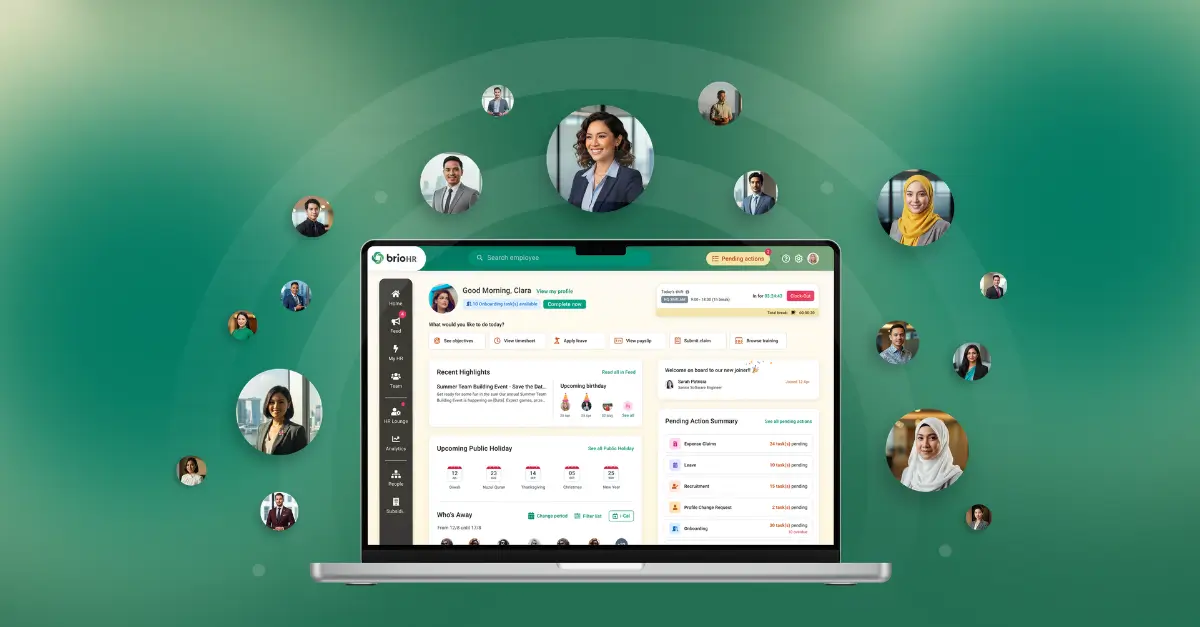
brioHR is an all-in-one HRMS that brings time tracking, leave, payroll, and performance into one connected system. It's built for growing companies in Malaysia and Singapore that need attendance data to flow cleanly into payroll without manual re-entry.
What Is brioHR Best For
brioHR fits companies that are outgrowing paper timesheets or disconnected attendance tools and want time tracking, leave, and payroll to work as one system rather than three. It's a strong fit for retail, F&B, and field-based teams that need GPS-verified clock-ins across multiple locations, as well as office-based teams that want timesheets tied directly to project and client billing.
Key Features
| Feature | What It Does |
|---|---|
| Time & attendance | GPS and geofenced mobile clock-ins, shift scheduling, rotating shift support, automatic overtime calculation |
| Leave & time-off | Leave applications, multi-level approvals, accrual rules, carry-forward tracking synced with attendance |
| Timesheets | Project and client-level time logging with manager approval workflows before hours reach payroll |
GPS and Geofenced Attendance Tracking
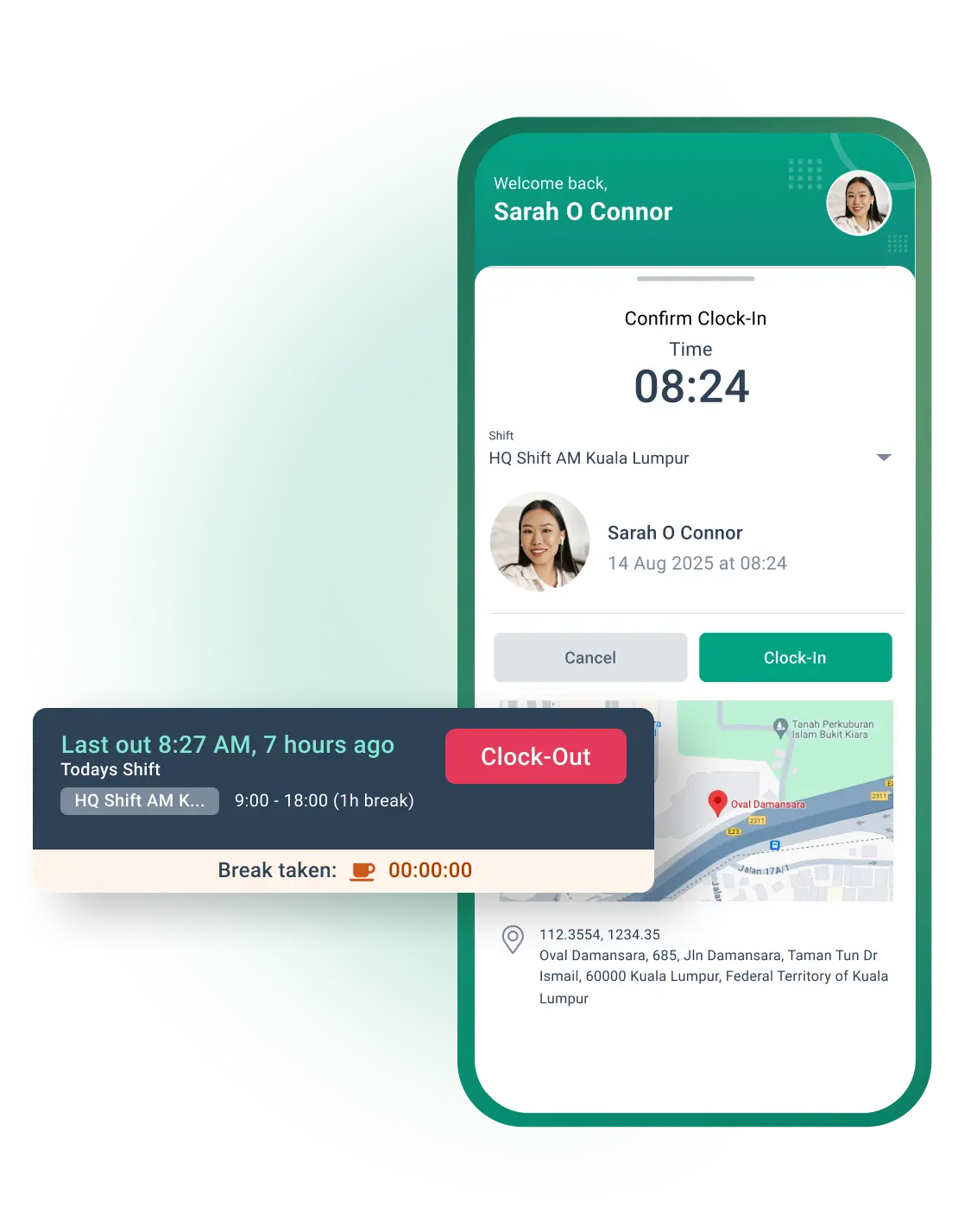
For teams with field staff or multiple store locations, confirming where someone clocked in matters as much as confirming when. brioHR's geofencing feature verifies an employee's location at the moment they clock in or out, which closes the gap that buddy punching and manual sign-in sheets leave open. Managers get a live view of who's on site, no end-of-day reconciliation required.
Automatic Overtime and Payroll Sync
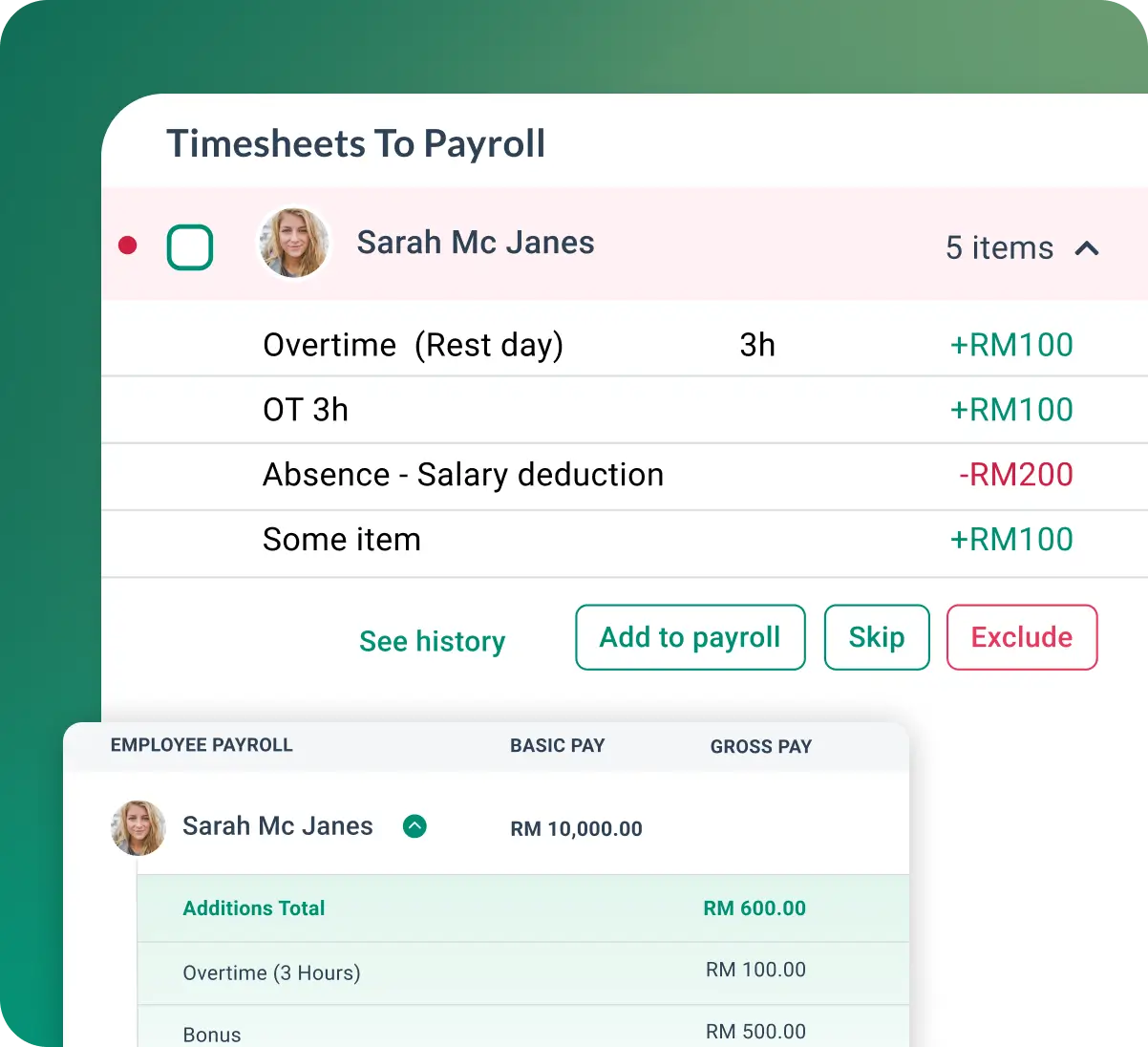
Rather than exporting attendance data and re-entering it into a separate payroll system, brioHR calculates overtime automatically from logged hours and feeds it directly into payroll runs. This closes the exact integration gap that drives a large share of payroll errors industry-wide.
Timesheet Approval Workflows
Employees log hours against specific projects, and managers review flagged exceptions (missed clock-outs, unusual overtime) before anything reaches payroll. This keeps the review step built into the daily workflow instead of being a separate manual task that happens once a month.
Pricing
| Plan | Details |
|---|---|
| Modular pricing | Per-employee pricing based on modules and company size, starting at RM3 per employee per month |
| Custom quote | Tailored based on headcount, workflows, and rollout needs |
Beyond attendance, brioHR also coverstraining management, pulse surveys, expense claims, and payroll, so attendance data connects to the rest of the employee lifecycle.
Connect attendance directly to payroll
Track clock-ins, overtime and attendance in one connected HR system.
Common Time Tracking Mistakes to Avoid
These are specific, tactical errors that show up even in companies with reasonable policies and decent tools.
- Running payroll off unapproved timesheets. Skipping the manager sign-off step to save time usually costs more later in corrections. See our breakdown of the true cost of payroll errors for why this shortcut rarely pays off.
- Treating time tracking as a one-time setup. Policies and tools need revisiting as teams grow, go remote, or add new shift patterns. A system that worked for 20 employees often breaks at 100.
- Ignoring small, recurring discrepancies. A consistent five-minute rounding issue or a pattern of late clock-ins looks minor in isolation but compounds across a full pay cycle and an entire team.
- Not training employees on the system itself. A tool that requires a manual to use will get used inconsistently. If clocking in takes more than a few taps, adoption suffers.
- Keeping leave and attendance in separate spreadsheets. This recreates the exact blind spot that connected systems are meant to solve, and it's one of the most common reasons payroll errors happen in the first place.
What Effective Time Tracking Looks Like In Practice
SRKK: Centralizing Attendance Across a Growing Team
SRKK moved its HR processes onto brioHR to replace manual, disconnected systems, including attendance tracking that previously required manual reconciliation. Centralizing time tracking alongside payroll and leave management gave the HR team a single source of truth for attendance data instead of chasing it across spreadsheets and paper logs.
Juwai IQI: Scaling Attendance Across a Large, Distributed Workforce
As Juwai IQI grew its headcount, keeping attendance records consistent across a large, distributed team became harder to manage manually. Moving attendance and leave tracking onto a single platform gave the company a scalable way to keep hours, approvals, and payroll data aligned as the organization expanded, without adding proportional HR headcount to manage it.
Supernova: Unifying Time Tracking Into One HR System
Supernova adopted brioHR to bring previously fragmented HR processes (including time and attendance) under one system. The result was fewer handoffs between separate tools and a clearer, centralized record of hours worked that fed directly into payroll, rather than requiring a manual export-and-reconcile step each cycle.
Time Tracking Best Practices Checklist
Use this as a quick gut-check against your current setup.
- Policy documentation: work time is defined, breaks are covered, missed clock-ins have a process
- Automated capture: clock-ins use GPS, mobile, biometric, or app-based tools (not paper or memory)
- Payroll integration: attendance data flows directly into payroll with no manual re-entry
- Leave syncing: leave and attendance live in the same system
- Approval workflows: managers review and sign off before hours reach payroll
- Project-level tagging: hours are tagged to projects or clients for billing and cost visibility
- Regular review cadence: time data is reviewed weekly, not just at payroll close
Talk to a brioHR expertto discover how you can simplify time tracking, automate attendance, and streamline payroll for your team.
Everything HR.
One login
From payroll to onboarding, brioHR gives you everything you need in one place. Built for busy teams. Backed by people who care.